№ 07Campaigns
Would you cast them twice? Edit an AI campaign as a contact sheet
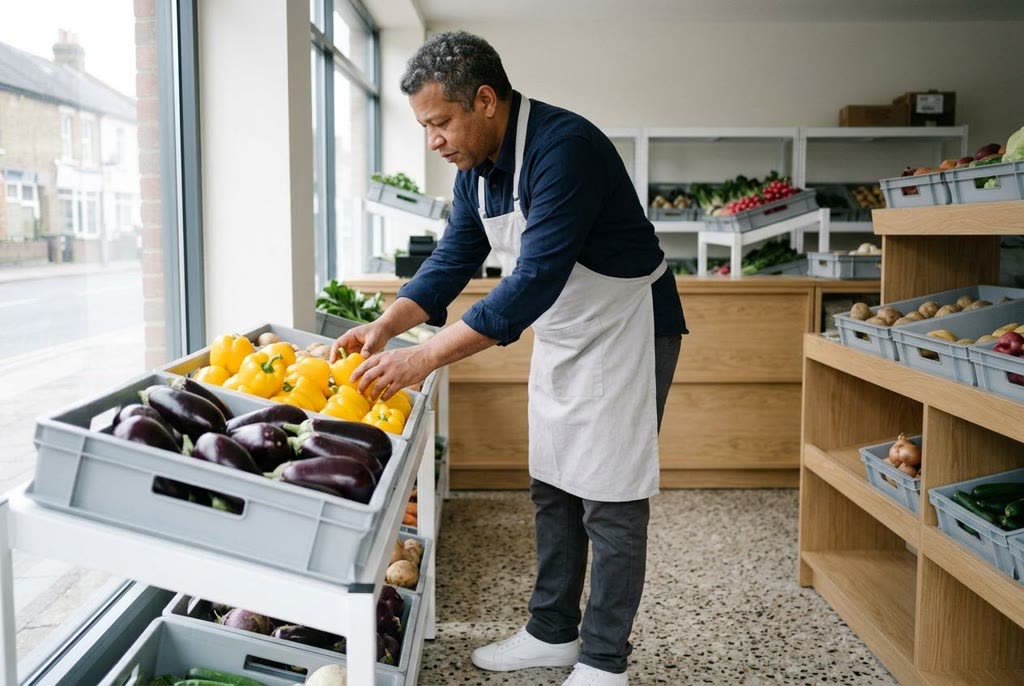
Consistent AI characters earn their place frame by frame. Edit a six-scene greengrocer campaign as a contact sheet and see why some faces get cut.
№ 05CampaignsHow-to
Black Friday alternatives for small business: six visual ideas for a shop sitting out the sale. Say what is happening at your counter this November.
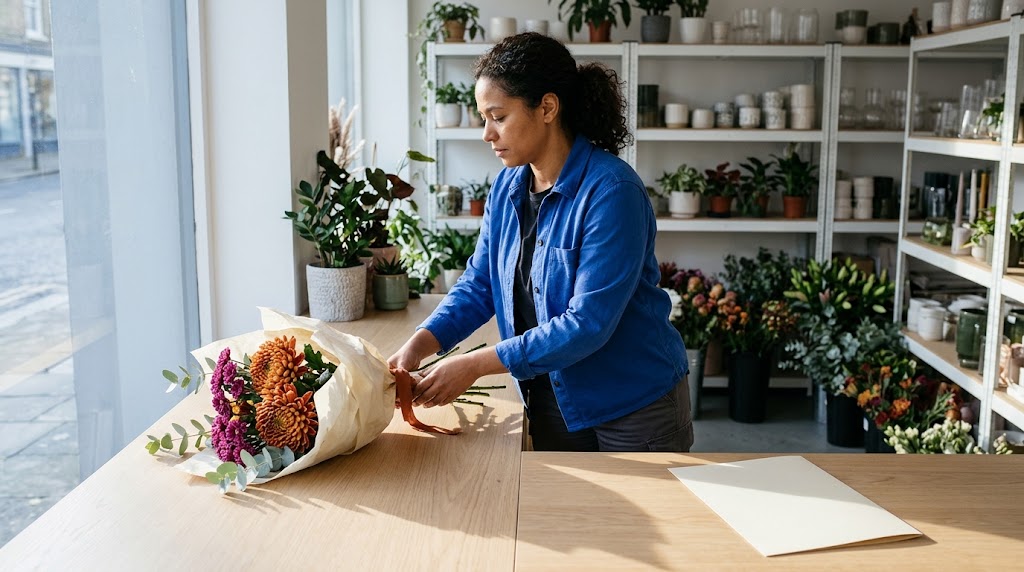
Start with a blank card beside a bouquet on your wrapping counter. The card will say “No sale this week”. Your customer should be able to read it without opening the caption.
Stem Ledger is a fictional contemporary English flower shop used throughout this article. Its seasonal bouquet has three burnt-orange disbud chrysanthemums and five plum spray chrysanthemum stems. Three eucalyptus stems add foliage. Cream paper and rust cotton ribbon finish the wrap. For your own shop, upload a photograph of the product you sell and use your actual packing materials. Label generated scenes as illustrations. Use real photographs of your work when describing how you prepare flowers or refill a vase.
You have decided against a Black Friday sale. We think a small shop can say that plainly and still sound pleased to see a customer. The useful detail is what happens at the counter: you may be open at the usual price, or taking bookings for vase refills. Choose the message you can deliver with the people already on the rota.
There are precedents for making the decision public. Patagonia ran its “Don’t Buy This Jacket” advertisement in 2011, with an explanation that addressed consumption and repair. Its own account also acknowledges the tension of asking people to buy less while selling products. On a smaller scale, Woodcraft by JoMo published a no-deals announcement in 2021 and named local charities it would support, as UK Fundraising reported.
The pressure to discount is recognisable in this shop-owner discussion: the poster describes a busy discounted day followed by quieter trade. That is one owner's account. You can explain your own pricing decision without judging customers who need a discount.
One notice is enough if time is tight. Keeping its text separate from the generated picture lets you amend the wording as you settle the details. If your notes are still “bouquet beside a no-sale notice”, use Prompt Crafter to turn them into a scene brief. The prompt-writing guide can help you specify the frame.
We would give the card as much attention as the bouquet. “No sale this week” needs enough room to read at a glance; the product beside it keeps the notice connected to your shop. A short caption can explain your choice. “We’re working at our usual prices” is enough if that is the whole decision.
For a cheap first look at the composition, try FLUX.2 Klein 4B, at 2 credits per run. The decision at this stage is whether the card has enough space beside the bouquet. For the final image, choose Google Nano Banana 2.1 or OpenAI GPT-Image 2.6 Sunburst, each at 10 credits per run.
You can make the first fictional frame without an upload, then use that image as the reference for later scenes. For your own shop, start with your real product photo and replace the bouquet description with details of your product. The Studio links prefill the model and prompt; you still need to upload the reference and choose the intended crop.
Editorial shop photograph. Wide shot of a fictional 38-year-old florist with a medium build, brown skin and dark curls tied back, wearing a cobalt cotton overshirt and charcoal trousers, sliding a hand-tied bouquet onto the left side of a pale oak wrapping counter in a small contemporary flower shop. The bouquet has three burnt-orange disbud chrysanthemums, five plum spray chrysanthemum stems and three eucalyptus stems, wrapped in cream paper with rust cotton ribbon. Frame her side-on, eyes on the stems, with a plain plate-glass window without lettering and white steel shelving behind. A large blank cream card, about the size of a sheet of A4, faces the camera on the right half of the counter, clear of flowers and hands. Crisp late-November morning sun from the left casts defined shadows behind the bouquet; natural colour, the cobalt shirt the brightest accent. Unaware of the camera. Everything clean and well kept, unposed and matter-of-fact. Nikon D850 with Nikkor 24-70mm f/2.8E ED VR at 35mm, f/8, 1/500 second. If a real product reference is uploaded, preserve its flower varieties, stem counts and arrangement while changing only the surroundings.
Add the notice text in your layout software after choosing the picture. Popcorn Editor is a standalone browser design tool, separate from cgfaces. Its social presets include Instagram square and Instagram story / Reel for laying out your photo and notice. Choose the preset before arranging the photo and type, then check that the crop leaves the card clear.
Compare the flower varieties and arrangement with your product photo. If a generated edit changes the bouquet, use the original photograph with the notice beside it. For a different photographic treatment, browse the existing collection of photorealistic prompts.
“Bring your vase back for a refill” gives a customer a reason to visit with something they already own, provided you offer that service. We would put booking details close to the invitation. Say which vase sizes you accept and what a refill costs before someone makes the journey. Say whether to book or drop in, with hours that fit your staffing.
The Stem Ledger prompt uses the first bouquet image as its reference. It asks for the florist lowering the unwrapped flowers into a customer’s vase. A clear wall beside her leaves room for the invitation. If refills are outside your service, a notice offering the care information you already provide is a useful alternative.
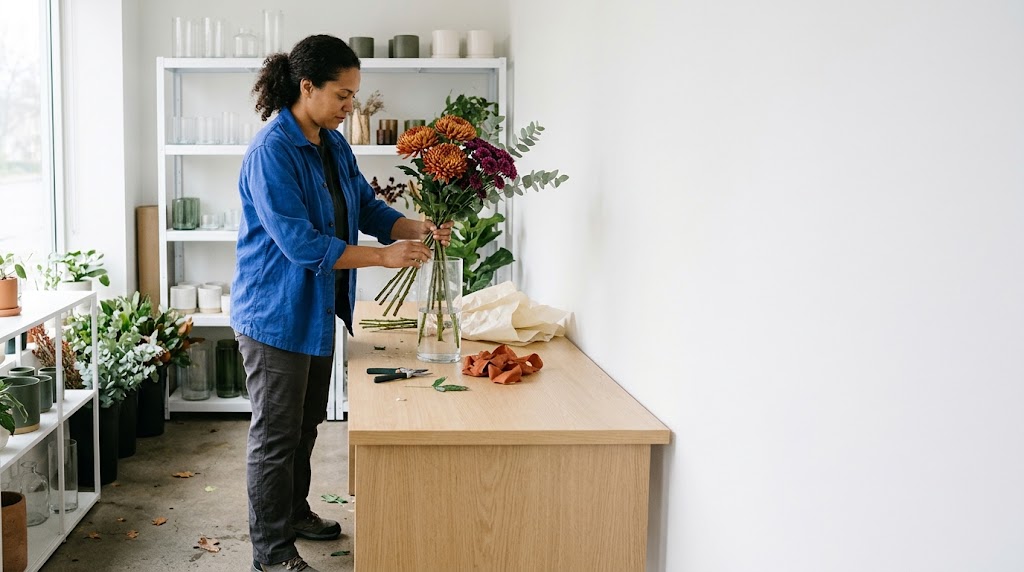
Example image made with Google Nano Banana 2.1 from the prompt below.
Editorial florist photograph. Full shot of a fictional 38-year-old florist with a medium build, brown skin and tied-back dark curls, wearing a cobalt cotton overshirt and charcoal trousers, lowering a hand-tied bouquet into a customer's clean clear-glass cylinder vase in a small contemporary flower shop. Frame her side-on on the left, eyes on the vase, with a pale oak counter and white steel shelving around her. The bouquet contains three burnt-orange disbud chrysanthemums, five plum spray chrysanthemum stems and three eucalyptus stems; its cream paper and rust cotton ribbon lie folded beside the vase. Reserve the right third as a blank matte-white wall for the refill invitation. Bright overcast late-November midday light through a plain plate-glass window without lettering on the left makes soft shadows; natural colour, orange flowers and cobalt sleeves carry the colour. She is unaware of the camera, mid-lowering. Clean, well-kept surroundings, unposed concentration. Nikon D850 with Nikkor 24-70mm f/2.8E ED VR at 35mm, f/5.6, 1/250 second. Use the uploaded bouquet reference to preserve its varieties and arrangement; remove only the wrapping for this fictional vase-refill scene.
Check where the stems enter the vase and how the florist supports them. Ask the person who handles refills whether the action makes sense before you use the illustration.
We like a process picture that stays with one stage long enough to explain it. Show the florist removing lower leaves at the bench as she prepares stems for the bouquet. That gives your caption one task to explain. Describe the work your shop does. A supplier’s growing process needs its own genuine photograph if you want to show it.
For the conditioning illustration, use the first bouquet image as the reference. The wide view keeps the florist’s hands visible at the bench and reserves a blank wall on the left for a short process note. Promptography offers further background on creating photographic-looking images.
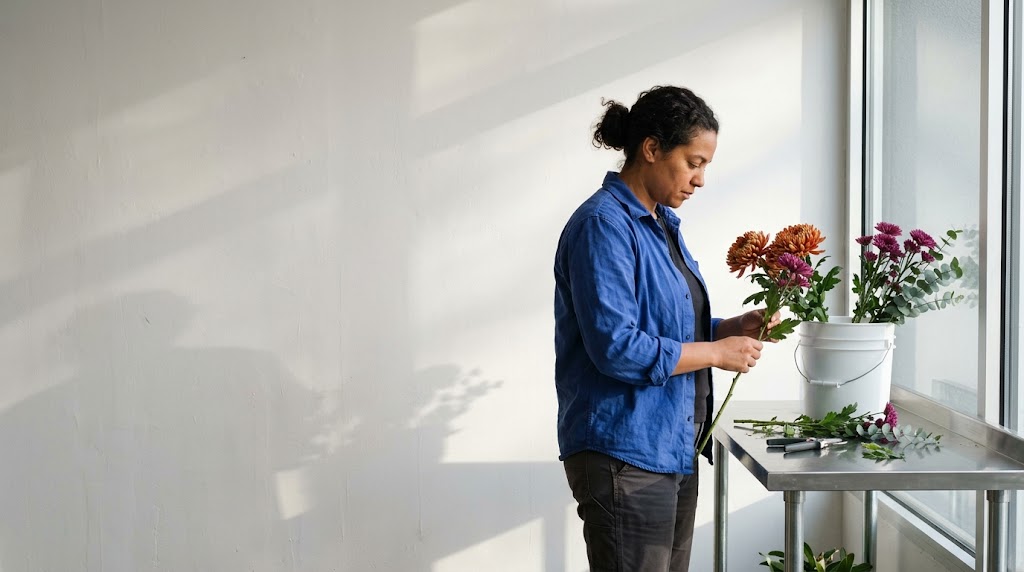
Example image made with Google Nano Banana 2.1 from the prompt below.
Documentary shop photograph. Wide shot of a fictional 38-year-old florist with a medium build, brown skin and tied-back dark curls, wearing a cobalt cotton overshirt with sleeves rolled back and charcoal trousers, stripping a lower leaf from a plum spray chrysanthemum stem in a small contemporary flower shop. Frame her side-on on the right, eyes on the leaf, at a stainless-steel conditioning bench beside a white wall and a tall plain plate-glass window without lettering. A clean water bucket holds the remaining stems for one bouquet: three burnt-orange disbud chrysanthemums, four plum spray chrysanthemum stems and three eucalyptus stems. Leave the left third of the white wall clear for a short process note. Late-November afternoon sun through the right window makes distinct shadows across the bench; restrained steel and white, the cobalt shirt the strongest colour. Unaware of the camera, absorbed in the task. Everything clean and well kept. Nikon D850 with Nikkor 24-70mm f/2.8E ED VR at 35mm, f/8, 1/500 second. Match the flowers to the uploaded bouquet reference, showing them before binding. Treat this as an illustration of the fictional shop.
The hand holding the stem needs to survive the crop. If you cannot see where the other hand removes the leaf, ask for a clearer view of that contact.
We would give the figures most of the space on a cost panel. The stems show which flowers you are costing. Your figures explain how you arrive at the price. Start with one product and your own records. Explain material cost and labour, then show how overheads and margin fit into the selling price. A partial breakdown needs a label saying what it covers.
The prompt reserves clear tabletop for a breakdown you type and check in your layout software. Use your own bouquet and actual wrapping materials as references; the first bouquet frame supplies those details for the fictional example. “What goes into the price” can head the panel. If your figures are not ready, use another notice.
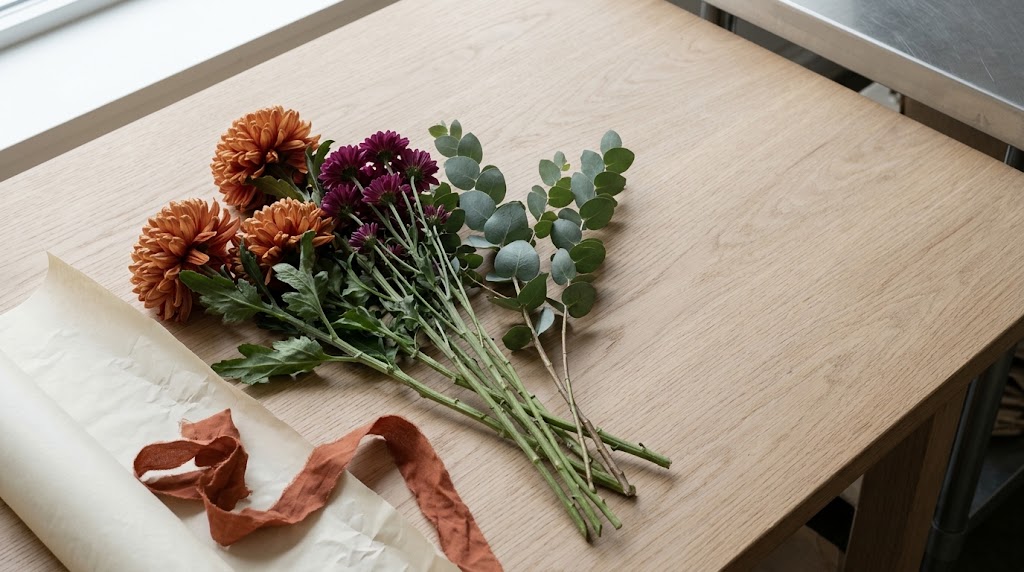
Editorial product photograph. High-angle close shot of stems waiting to be wrapped on the pale oak counter in a small contemporary flower shop: three burnt-orange disbud chrysanthemums, five plum spray chrysanthemum stems and three eucalyptus stems. Cream wrapping paper and a loose length of rust cotton ribbon sit beside them along the lower-left edge. Keep the upper-right half of the counter completely clear for a typed cost breakdown, with the stainless-steel bench edge just visible beyond. Flat grey late-November midday light from the left window gives soft contact shadows; muted oak and cream, the orange flower heads the brightest colour. Nobody in frame. Everything clean and well kept, a matter-of-fact pause in wrapping. Nikon D850 with Nikkor 24-70mm f/2.8E ED VR at 70mm, f/8, 1/250 second. Use the uploaded product reference to preserve the flower varieties and colours; show its stems before binding and its actual wrapping materials alongside.
Read the panel at its intended size before adding more explanation. If the numbers need tiny type, the caption can carry the detail. Each material shown should match the cost line beside it.
We would make this the warmest picture in the set. A no-sale notice can leave someone unsure whether the shop is open, so show the doorway they will recognise with “Open as usual” beside your confirmed hours. The caption can give them a contact route if they need to check something before visiting.
The doorway prompt catches the florist carrying a bucket inside at dusk. Light from the shop falls across the threshold and the blank hours panel. Use the first frame as a reference for the florist and bouquet. For your real shop, supply photographs of the actual entrance and interior. Compare any generated version with those photographs: an altered doorway is a reason to return to the original picture.
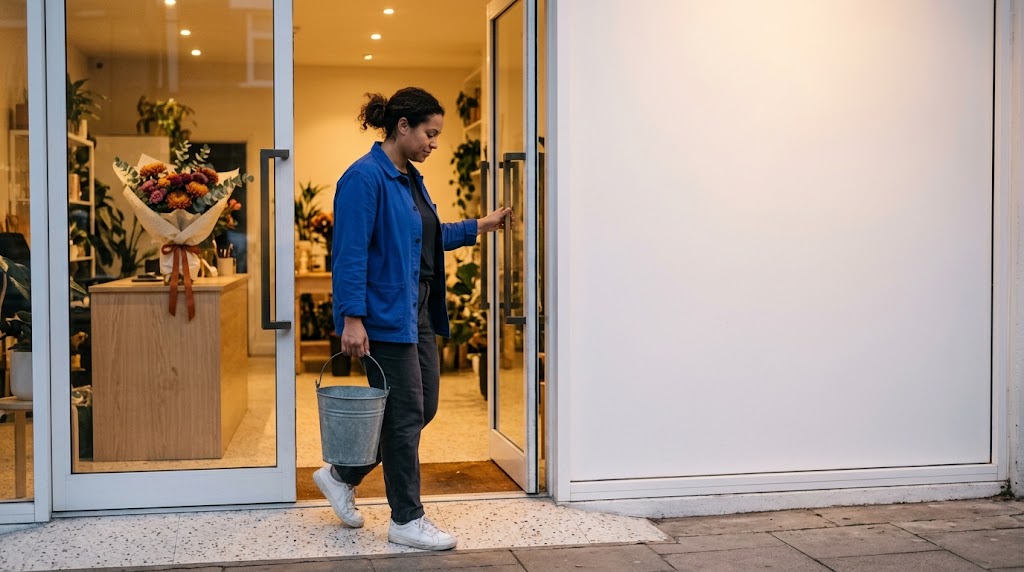
Street photograph. Full shot of a fictional 38-year-old florist with a medium build, brown skin and tied-back dark curls, wearing a cobalt cotton overshirt and charcoal trousers with clean white trainers, pulling open the plate-glass door while carrying an empty zinc bucket into a small contemporary flower shop with a plain shopfront without signage. Frame her side-on on the left, mid-step, eyes on the threshold. Through the glass, a pale oak counter holds a cream-wrapped bouquet of burnt-orange and plum chrysanthemums with eucalyptus and rust ribbon. Keep the broad matte-white panel to the right of the door blank and unobstructed for opening hours. Dry late-November dusk; the shop's warm ceiling lighting spills across the pale terrazzo threshold and lights the panel, with soft shadows. Natural colour, the cobalt shirt the main accent. She is unaware of the camera. Everything clean and well kept, an ordinary working moment. Leica M11 with Summilux-M 35mm f/1.4 at f/4, 1/250 second. Use the uploaded reference for the bouquet and counter; if real entrance photographs are supplied, preserve their doorway geometry and materials.
Check the hours against your rota before scheduling the post. If you only sell online, a view of your wrapping counter belongs here too, with a caption saying when you will answer enquiries.
“The same price in December” is a quiet line, and we would let it occupy most of the card. Use it only when you can stand behind it for the item shown. Name that item if other products may change price. For a florist, specify the bouquet recipe covered and say how substitutions affect the offer. Keep any availability limits beside the price promise.
Uploading the first image again gives you a reference for moving the bouquet and making more space for the note. Keep the bouquet design consistent so customers can see which arrangement the price note covers. The wider composition suits a product page or a follow-up to your November notice. If you cannot commit to December pricing, “Our usual price this week” gives the promise a clear limit.
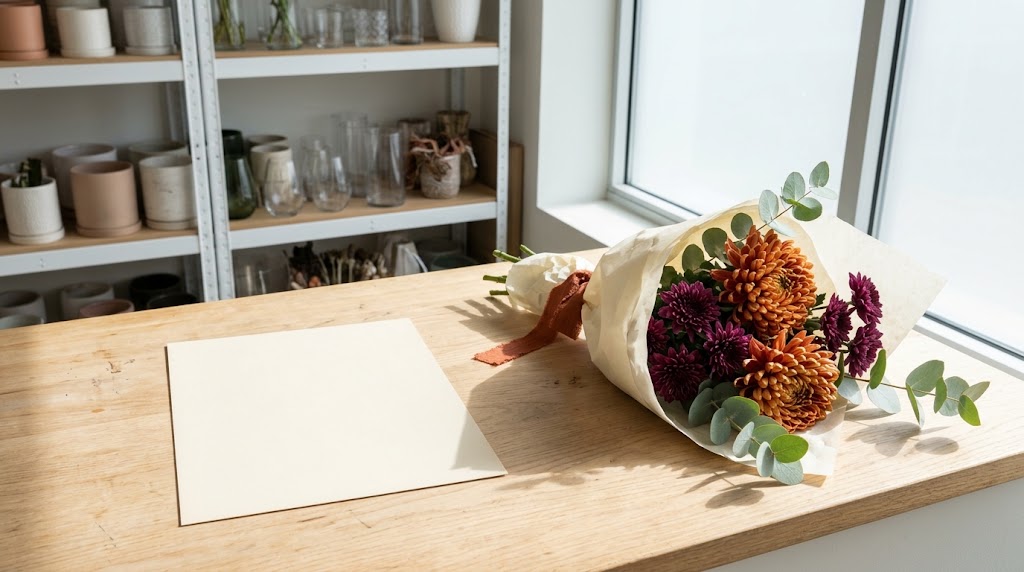
Example image made with Google Nano Banana 2.1 from the prompt below.
Editorial product photograph. Wide shot of the hand-tied bouquet from the uploaded reference resting diagonally on the right half of a pale oak wrapping counter in a small contemporary flower shop. Preserve its three burnt-orange disbud chrysanthemums, five plum spray chrysanthemum stems and three eucalyptus stems, cream paper wrap and rust cotton ribbon. Frame from standing height, with a plain plate-glass window without lettering and white steel shelving visible behind the counter. A large blank cream card, about the size of a sheet of A4, faces the camera on the cleared left half, with generous margins for a December price note. Clear late-November late-morning sun through the right window casts crisp stem shadows behind the bouquet and keeps the card evenly lit; natural colour, the orange and plum flowers carry the colour. Nobody in frame. Clean, well-kept surroundings, matter-of-fact mood. Nikon D850 with Nikkor 24-70mm f/2.8E ED VR at 35mm, f/8, 1/500 second. Preserve the reference bouquet's arrangement and proportions while changing its position and the card placement.
Compare the two pictures side by side for changes to the flowers or wrapping. The wording stays in your layout file so you can correct it without replacing the picture.
Black Friday falls on 27 November 2026. Use 13–15 November to choose your notice and gather references. During 16–20 November, prepare the chosen image and write the accompanying copy. Reserve 21–26 November for checking the product against its photograph and previewing the finished layout on a phone.
We would leave a day between finishing the layout and scheduling it; that gives you a chance to read it away from the design file. You could publish the no-sale notice early in the week and confirm your opening hours on Friday. A vase-refill invitation can wait until the service is ready. Before scheduling, open the post preview and read the words a customer will see.
№ 05 · CampaignsAll stories
№ 07Campaigns
Consistent AI characters earn their place frame by frame. Edit a six-scene greengrocer campaign as a contact sheet and see why some faces get cut.
№ 11Design & type
AI social media post design for a darkroom that now opens at 19:00. Use the cgfaces editor to change the time in both layouts before exporting.
№ 10Photography
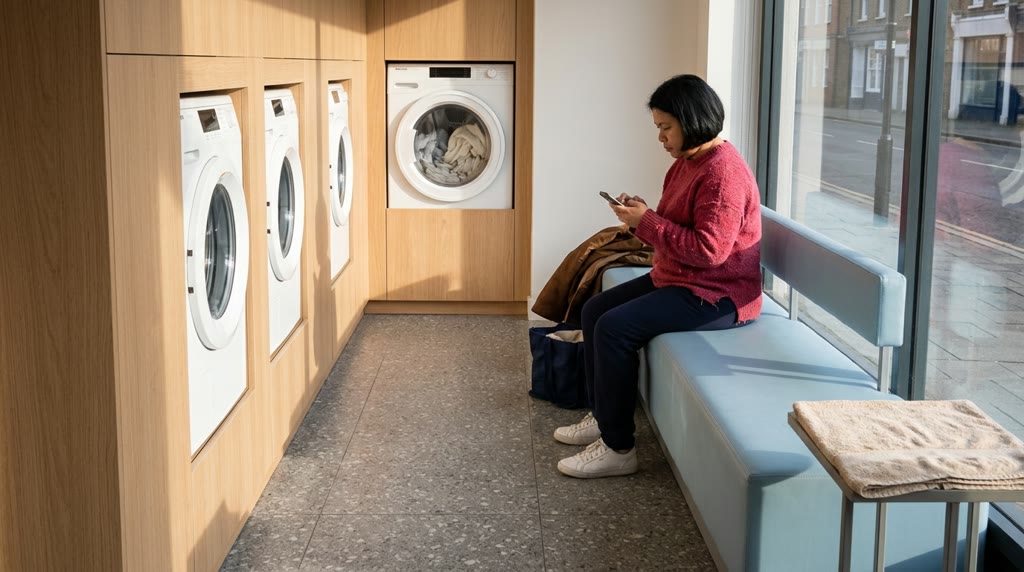
Make an AI photo essay from one imaginary roll of 36 frames. Spend the last wash at a fictional launderette, then edit your roll down to six.