№ 10Photography
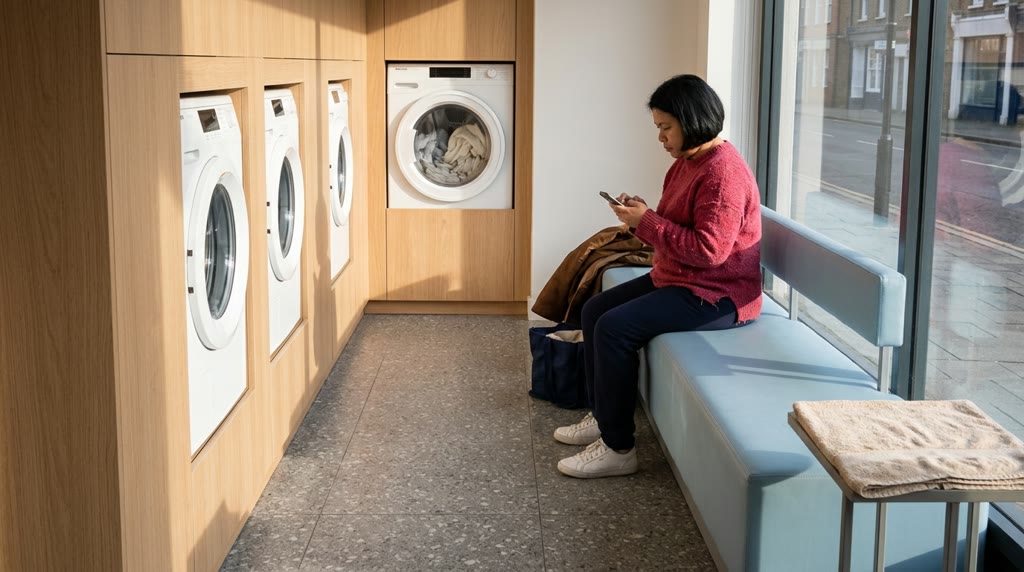
One roll at the launderette: 36 AI frames, then stop
Make an AI photo essay from one imaginary roll of 36 frames. Spend the last wash at a fictional launderette, then edit your roll down to six.
№ 09PhotographyHow-to
AI headshots that look real still need the person’s approval. Use their feedback to make a team portrait they would choose for their own LinkedIn profile.
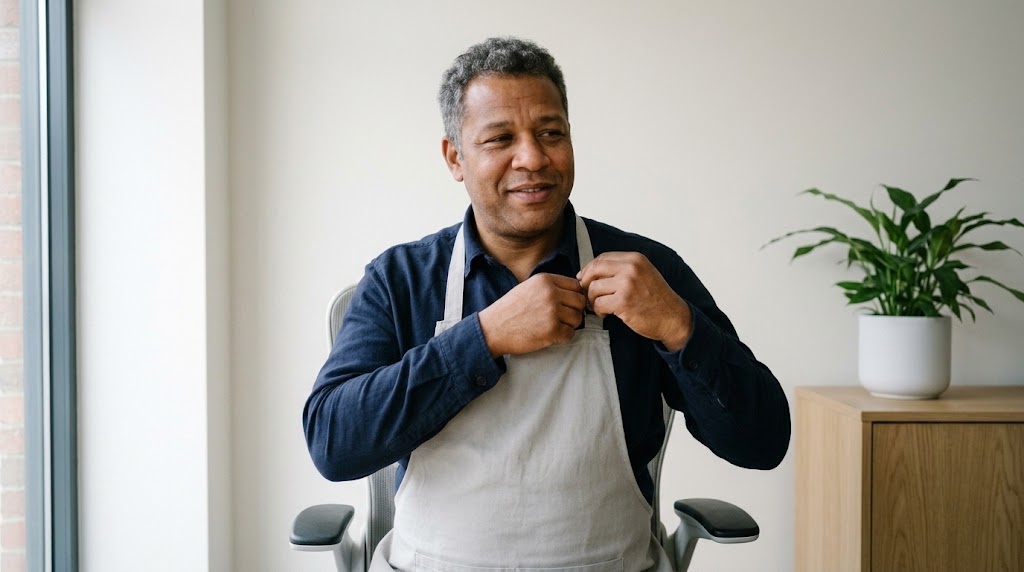
Put the proposed team-page portrait beside the photo your colleague supplied, with both faces at the same size. Before you discuss the background, give them time to look at their own mouth and shoulders. If they send the image back, their response becomes the next brief.
In a reported team-page complaint, an employee said their employer had replaced their supplied photograph with an AI image. They objected to changes to their body and hair. That is one person’s account. Use it as a reason to review the complete portrait with the person pictured.
We would give the person a private first look before adding their portrait to the team grid. Once an image sits beside everyone else’s, the conversation can drift towards how well it matches the page. Ask whether they would use it themselves. A refusal needs no technical explanation, and the original photograph stays available throughout.
For each edit, place the source beside the output so your colleague can judge what changed. The instruction to preserve a face gives you something specific to inspect; approval still belongs to the person pictured.
A photograph the person already likes is a useful place to start. For us, the current clothes they chose and would wear at work belong in the portrait, along with their familiar expression. Keep the outfit in their photo. Ask them to choose a recent seated portrait with their hair and both shoulders visible. These prompts assume a clean, contemporary room with window daylight from camera left; adjust the light description if their photo differs.
Treat this as a studio approval process; get legal advice for questions about your own situation. LinkedIn’s User Agreement requires you to have the right to share what you upload. The subject’s agreement and the photograph’s usage permission need separate attention.
A stock portrait cannot supply your colleague’s likeness. The Unsplash licence grants copyright permissions, while its terms exclude rights to recognisable people’s images. Use the person’s own agreed reference for this exercise.
Before collecting uploads, establish how the service and its providers handle them, then share the applicable policies with the person. Any promise you make about deletion needs to be supported by those policies.
A bright modern office is a reasonable request when the person likes their portrait but wants a different background. Agree on the setting with them before spending a run on it. The prompt below asks for a pale wall with the edge of a low pale oak cabinet and a green plant. It keeps their clothing as photographed.
Both model options use the same wording and source photo, so a comparison can stay focused on the background request. Start with one and try the other if it would help the person choose. Each Studio link prefills the prompt and model; attach the agreed photo yourself. Select 4:5 if available, or prepare the crop in your usual image editor.
Photographic portrait edit. Keep the adult in the uploaded recent photo seated for their work portrait, with their exact expression and posture. Keep their clothing and accessories as photographed. Replace only the room background with a pale wall in a bright modern office, one metre behind the chair. Include the edge of a low pale oak cabinet and a green plant in a plain white pot, clear of the shoulder outline. Keep the background clean and well kept. Retain the original head-and-shoulders framing and eye level. Preserve facial proportions and skin texture; keep the hairline and body shape unchanged. Match the background to the reference's soft window daylight from camera left, with a gentle fall-off towards the right. Keep the reference's daytime colour and quiet mood. Use a Canon EOS 5D Mark IV with Canon EF 85mm f/1.2L II USM at f/4 as a restrained portrait cue; preserve the source perspective.
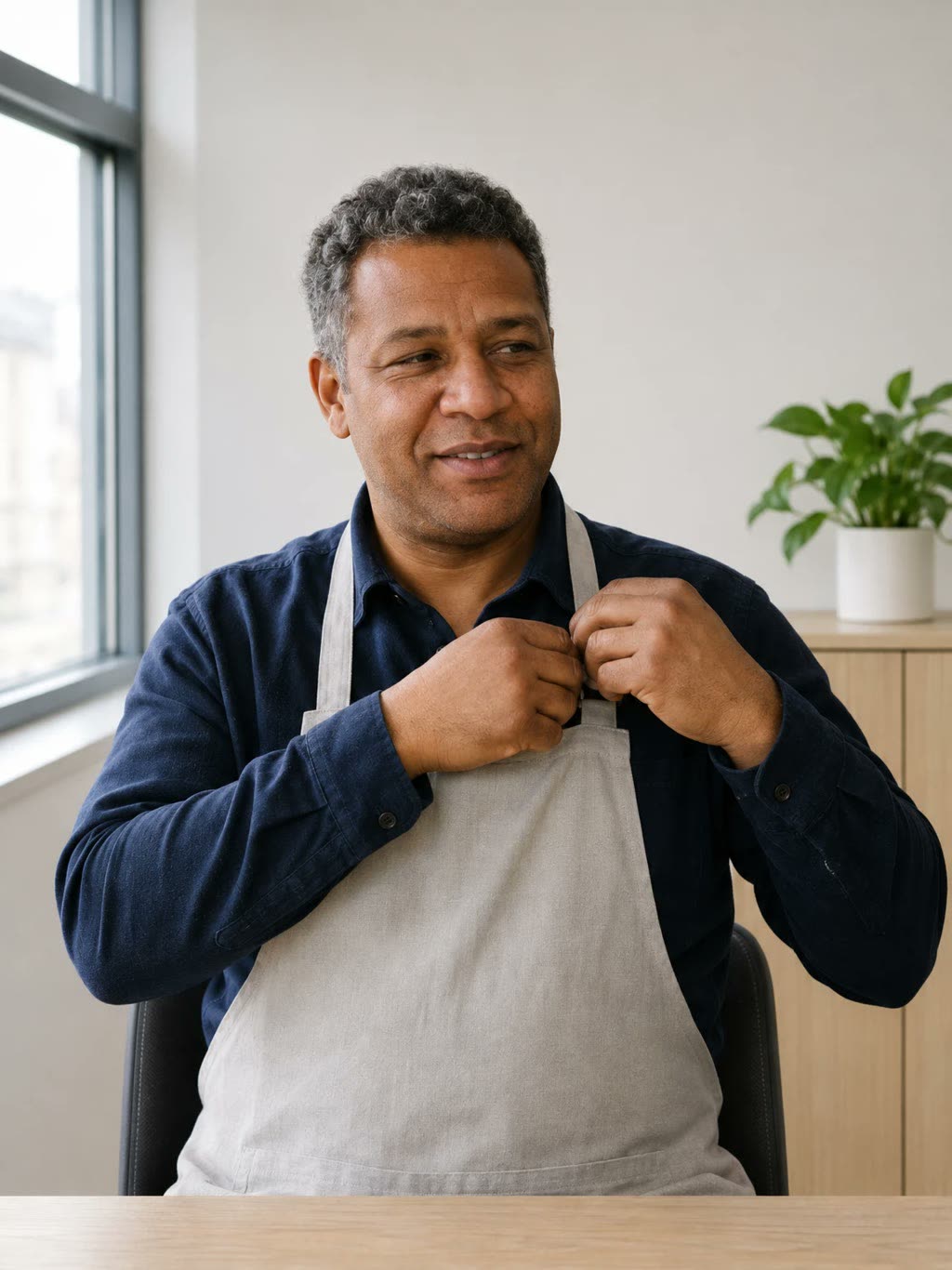
Photographic portrait edit. Keep the adult in the uploaded recent photo seated for their work portrait, with their exact expression and posture. Keep their clothing and accessories as photographed. Replace only the room background with a pale wall in a bright modern office, one metre behind the chair. Include the edge of a low pale oak cabinet and a green plant in a plain white pot, clear of the shoulder outline. Keep the background clean and well kept. Retain the original head-and-shoulders framing and eye level. Preserve facial proportions and skin texture; keep the hairline and body shape unchanged. Match the background to the reference's soft window daylight from camera left, with a gentle fall-off towards the right. Keep the reference's daytime colour and quiet mood. Use a Canon EOS 5D Mark IV with Canon EF 85mm f/1.2L II USM at f/4 as a restrained portrait cue; preserve the source perspective.
At full size, inspect the hair boundary and compare the shoulder outline with the original. Then bring both images down to team-card size for the subject’s review. An unwanted change to their smile belongs on the review sheet even if you like it.
If you need a different photographic direction, the photorealistic prompt collection offers other briefs to explore. Bring only the relevant setting detail back into this edit.
We would leave some shadow on the face; a work portrait can have shape without looking severe. This brief asks for gentler window light while keeping its direction. Return to the original photograph for this option so your colleague can judge the lighting without also weighing up a new room.
The same lighting brief appears below for each model. OpenAI’s image-generation guidance notes that visual consistency across generations can be imperfect. Check the face against the original each time you make a new version.
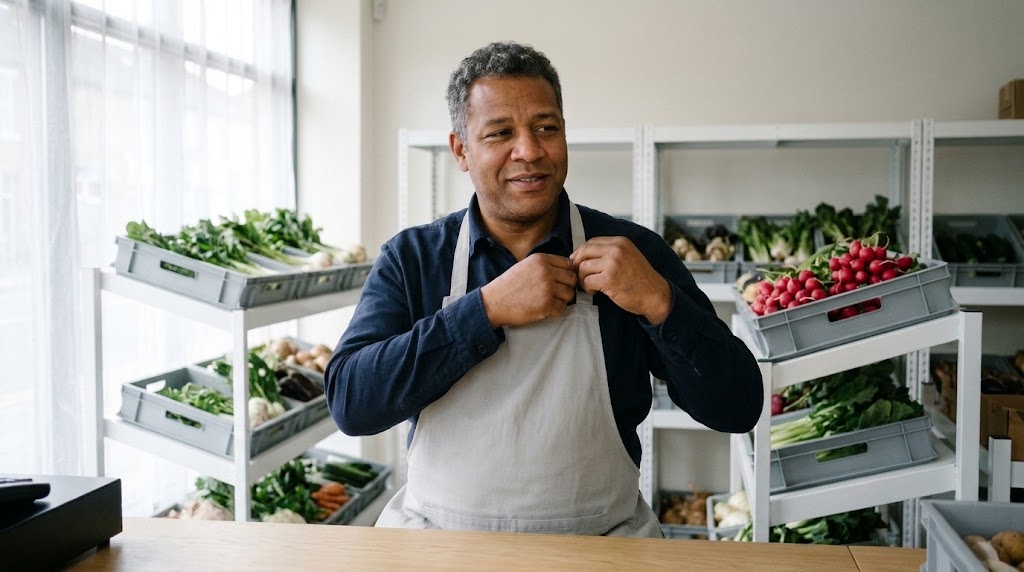
Photographic portrait edit. Keep the adult in the uploaded recent photo seated for their work portrait, with the same expression and posture. Retain the room and every visible background object. Hold the original head-and-shoulders framing at eye level. Adjust only the lighting: soften the existing camera-left window light as if a thin white curtain covered the window. Lift the shadow-side exposure slightly while keeping a visible cheek shadow. Preserve the person's skin tone and facial proportions. Keep skin texture and the original hair detail; retain their clothing and body shape. Maintain neutral daytime colour and the source mood. Use a Canon EOS 5D Mark IV with Canon EF 85mm f/1.2L II USM at f/4 as a natural-detail cue; preserve the source perspective.

Photographic portrait edit. Keep the adult in the uploaded recent photo seated for their work portrait, with the same expression and posture. Retain the room and every visible background object. Hold the original head-and-shoulders framing at eye level. Adjust only the lighting: soften the existing camera-left window light as if a thin white curtain covered the window. Lift the shadow-side exposure slightly while keeping a visible cheek shadow. Preserve the person's skin tone and facial proportions. Keep skin texture and the original hair detail; retain their clothing and body shape. Maintain neutral daytime colour and the source mood. Use a Canon EOS 5D Mark IV with Canon EF 85mm f/1.2L II USM at f/4 as a natural-detail cue; preserve the source perspective.
Look for skin texture on the darker cheek as the shadow lifts. Compare the mouth and nose outline with the source, then let the person judge whether the light feels comfortable for their work portrait.
For more on photographic direction, see Promptography. Keep your own lighting brief limited to the change the subject requested.
The person’s own words deserve most of the space on the review sheet. Keep it beside the pictures as you talk. Record the source and output filenames at the top so a later approval cannot be attached to the wrong version.
If the office background feels too far from their original photo, the next brief can shrink to removing objects fixed to the existing wall. The cleared wall should help their own room read clean and current while keeping its colour and furnishings. Use this prompt only when those objects are present and the person wants them removed.
[IMAGE: visuals.md #5]
Photographic portrait edit. Keep the adult in the uploaded recent photo seated in their own room, with the source expression and posture. Keep their face and hair exactly as photographed. Remove only the objects attached to the wall behind the chair, continuing the existing paint texture into those areas. Retain the wall colour and the room's visible corners. Let the cleared wall give the person's own room a clean, current feel; keep the remaining furnishings as photographed. Hold the original head-and-shoulders framing and eye level. Preserve the person's clothing and body shape, including the visible shoulder outline. Match the repaired wall to the existing soft daylight from the camera-left window. Keep the source's daytime colour and quiet mood. Use a Canon EOS 5D Mark IV with Canon EF 85mm f/1.2L II USM at f/4 as a texture cue; preserve the source perspective.
When the feedback arrives as rough notes, Prompt Crafter can help turn it into an editing prompt. Read the wording before running it and remove any changes the person did not request. The prompt-writing guide has more on making an instruction specific.
Ask permission before including a rejected portrait in any public comparison. If the person likes the first version, record that decision and move to the crop.
A shared eye line and similar head size give us enough consistency for a team page. Each person can keep their chosen expression. Place the portrait in the actual card layout and send a preview at the size visitors will see, with a larger copy for inspection.
If the approved file has enough room, a conventional crop is all this step needs. When the original contains the complete shoulders but is tight around the head, the square-format prompt below asks for more surrounding wall to match their own clean, current room. Start from the original photo and have the subject review the new file, even if they approved an earlier edit.

Photographic portrait edit. Keep the adult in the uploaded recent photo seated for their work portrait, preserving their exact face and expression. Retain the photographed room. Keep the added background clean and current, matching the well-kept wall in the source. Extend only the visible wall beyond the original frame to make a square canvas with equal side margins and clear space above the hair. Keep the complete original photograph centred and unchanged inside the larger canvas. Continue the existing paint texture and its soft camera-left window-light gradient into the added area. Preserve every visible part of the person, including the original shoulder outline and clothing. Keep the source's daytime colour and quiet mood. Use a Canon EOS 5D Mark IV with Canon EF 85mm f/1.2L II USM at f/4 as a continuity cue; preserve the source perspective.
Compare the retained photograph with its source before choosing a crop. If the person has changed during the wall extension, use the original crop or take a wider photograph. The exact file intended for publication goes back to the subject for approval.
For LinkedIn, our part ends with handing over a file the person is happy to use. They may prefer a different photograph for their own profile. If they want to use this one, preview a circular crop together and leave comfortable space above their hair.
LinkedIn’s photo guidance permits artistic depictions of the member but requires their likeness. It excludes other people’s likenesses, including stock imagery. Its Professional Community Policies prohibit fake profiles and misleading identity information. They also require disclosure of synthetic or manipulated media that depicts someone saying or doing something they did not say or do.
Read those requirements as conditions each portrait must meet; they offer no blanket acceptance of AI headshots. We recommend describing substantial alterations plainly wherever you share the portrait. For a simple background edit, a caption can say what changed without making claims about the person’s appearance.
We treat the original photograph as a finished option whenever that is the one your colleague chooses. Prepare it for the agreed placement and stop generating alternatives when they decline another attempt. Keep the approved filename with the publication record so a rejected version cannot slip into a later page update.
Give your colleague a named contact for replacement or removal. If they send a new photograph later, prepare its crop and ask them to approve that file before you replace the published portrait.
№ 09 · PhotographyAll stories
№ 10Photography
Make an AI photo essay from one imaginary roll of 36 frames. Spend the last wash at a fictional launderette, then edit your roll down to six.
№ 06Photography
AI product photography for ecommerce should keep your cup's wonky rim. Build a shop photo set around the real object, with prompts and close visual checks.
№ 04Photography
To make AI images look more natural, give people a task. Start with a mechanic adjusting a brake and a runner shaking rain from her cuff.